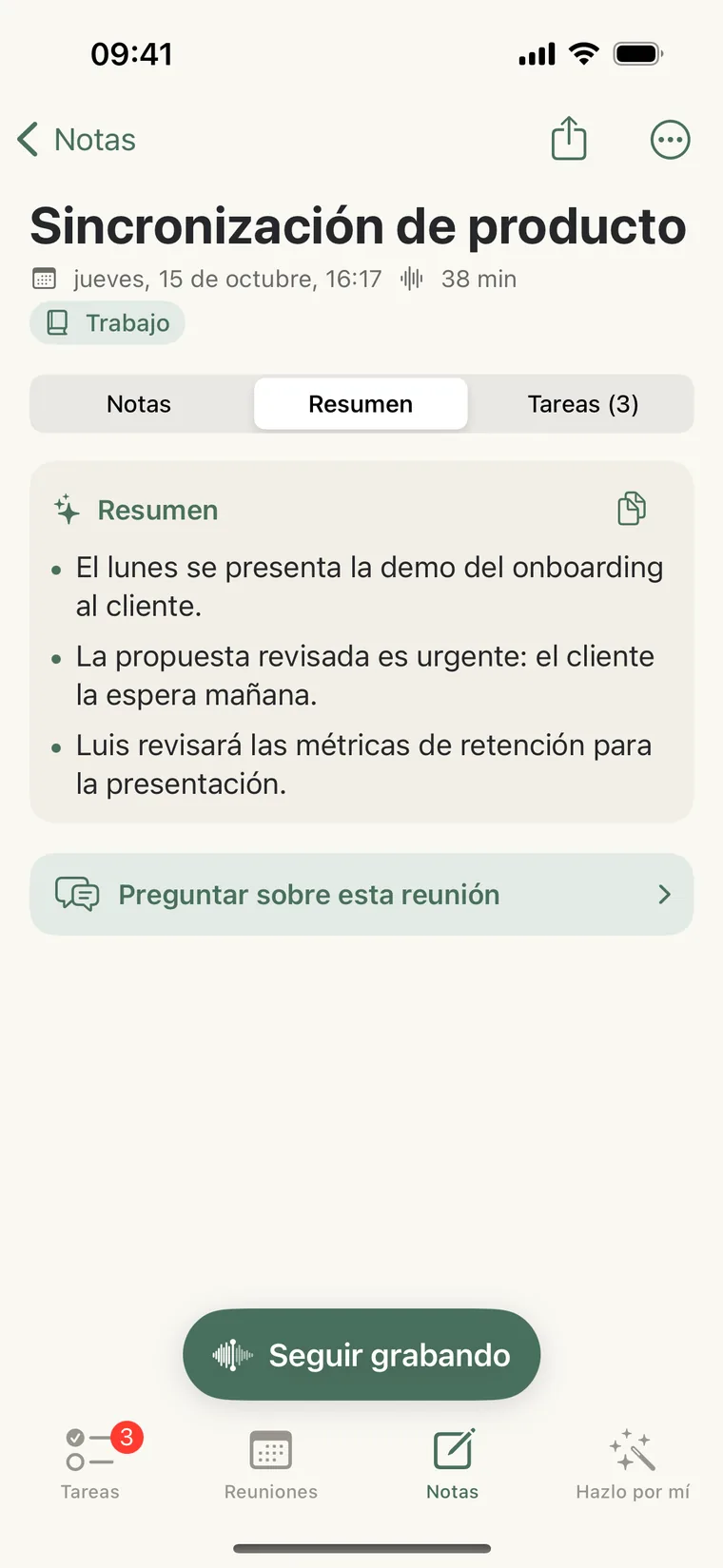
Your tasks, write themselves.
What’s decided in each meeting lands in your Magic Queue. You just accept.
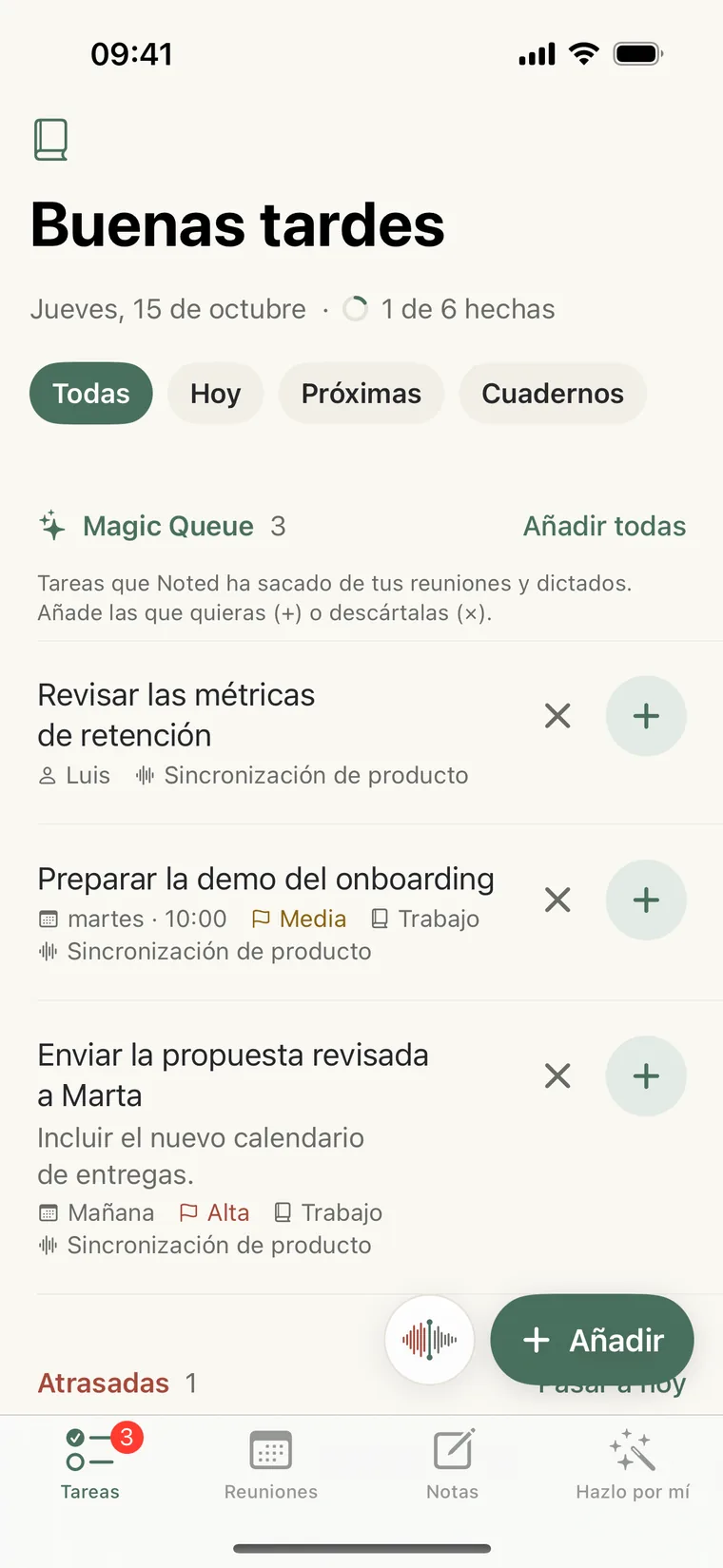
✦ Magic Queue
+Send the revised proposal to Marta
Tomorrow · High · Work
 Noted AI
Meetings and tasks, with AI
Summary and tasks the moment it ends, without typing a thing. Your agenda, notes and tasks on your iPhone and your computer, always in sync.
Free, with AI included so you can try it · Noted Pro for much more
What’s decided in each meeting lands in your Magic Queue. You just accept.
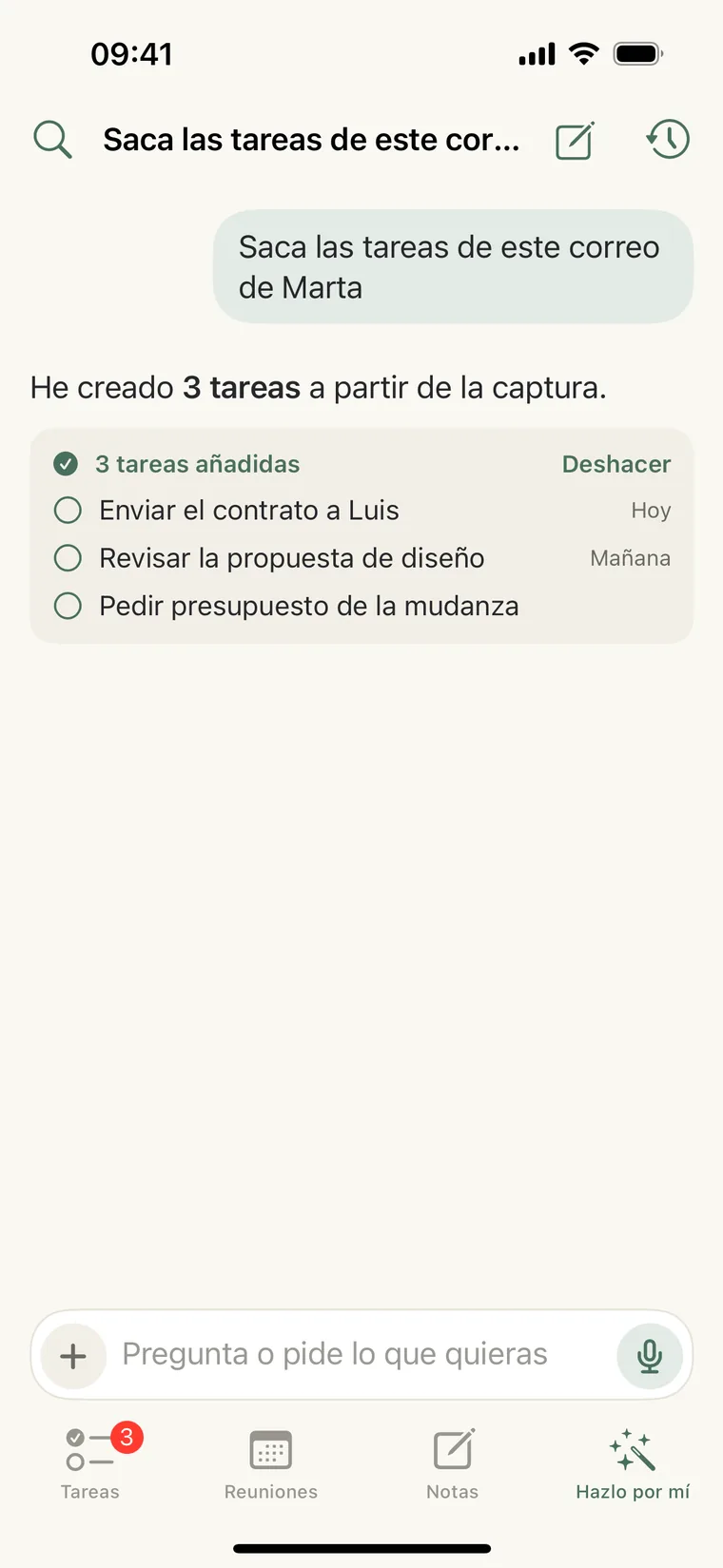
Paste an email and it pulls out the tasks. Or ask it anything.
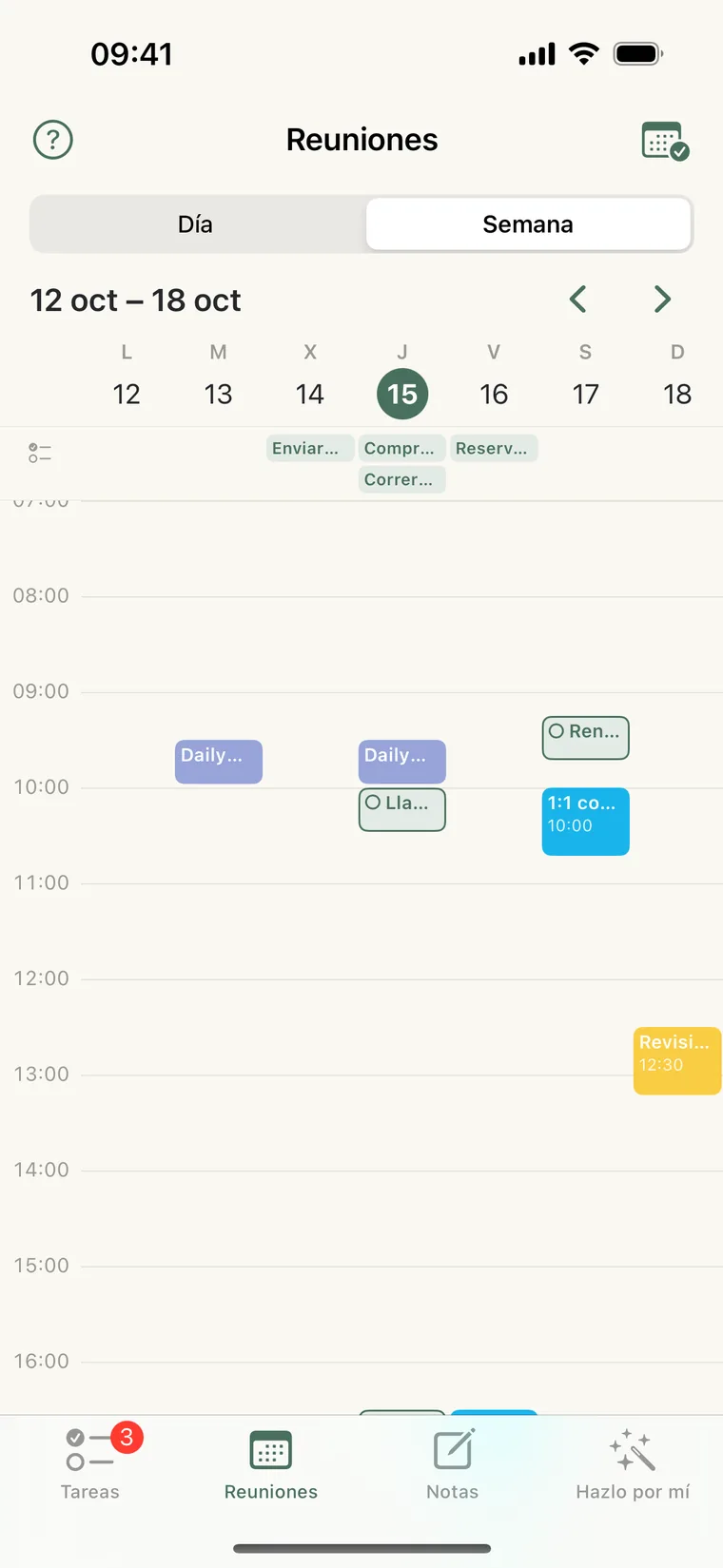
Meetings and tasks together, with Google Calendar or iCloud.
Write the way you talk. Noted understands the date, time, priority and project.
Open a note, jot down what matters and tap “Record”: the conversation is transcribed inside the note and AI leaves you the summary and the tasks, with dates and owners.
Ask “what did we agree with Marta?” or paste an email and it pulls out the tasks. Answers drawn from your tasks and meetings, with links to each.
A calendar with your tasks and your Google Calendar or iCloud meetings, by week or month, with urgent alerts only for what matters.
With the Chrome extension, your Meet, Zoom or Teams calls are recorded on their own, with a visible notice, and saved as a note with its summary and tasks. Add to Chrome
Every new note goes to its notebook without you lifting a finger: AI sees what it’s about and files it. And you can always move it yourself.
“Hey Siri, record meeting”, or set it on the Action button. And with your calendar connected, we’ll remind you as each meeting starts.
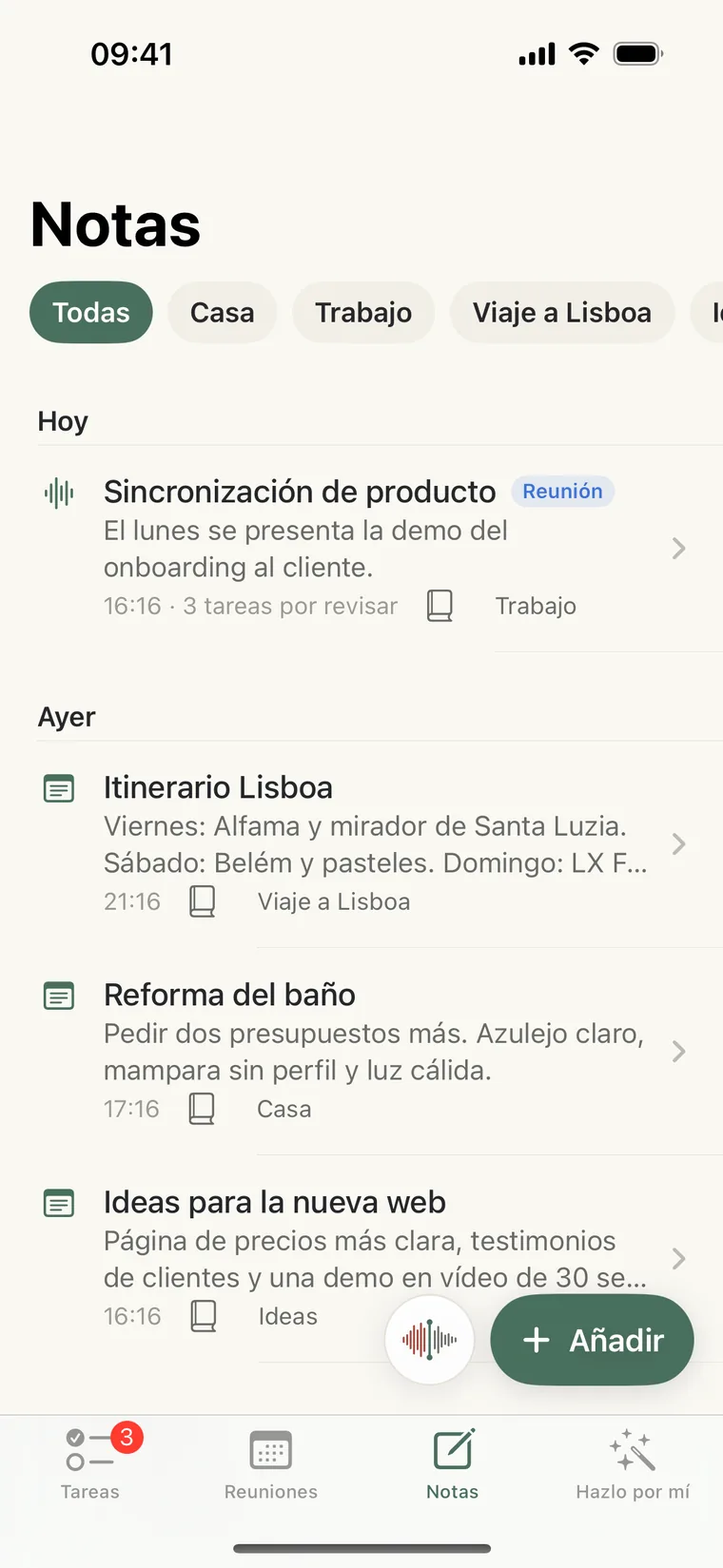
Every note is saved in your account, in its notebook, with what you wrote, the summary and the transcript, on your iPhone and your computer. Audio is transcribed on your iPhone; with Noted Pro, if you want, in the cloud with who said what (and it’s deleted when done).
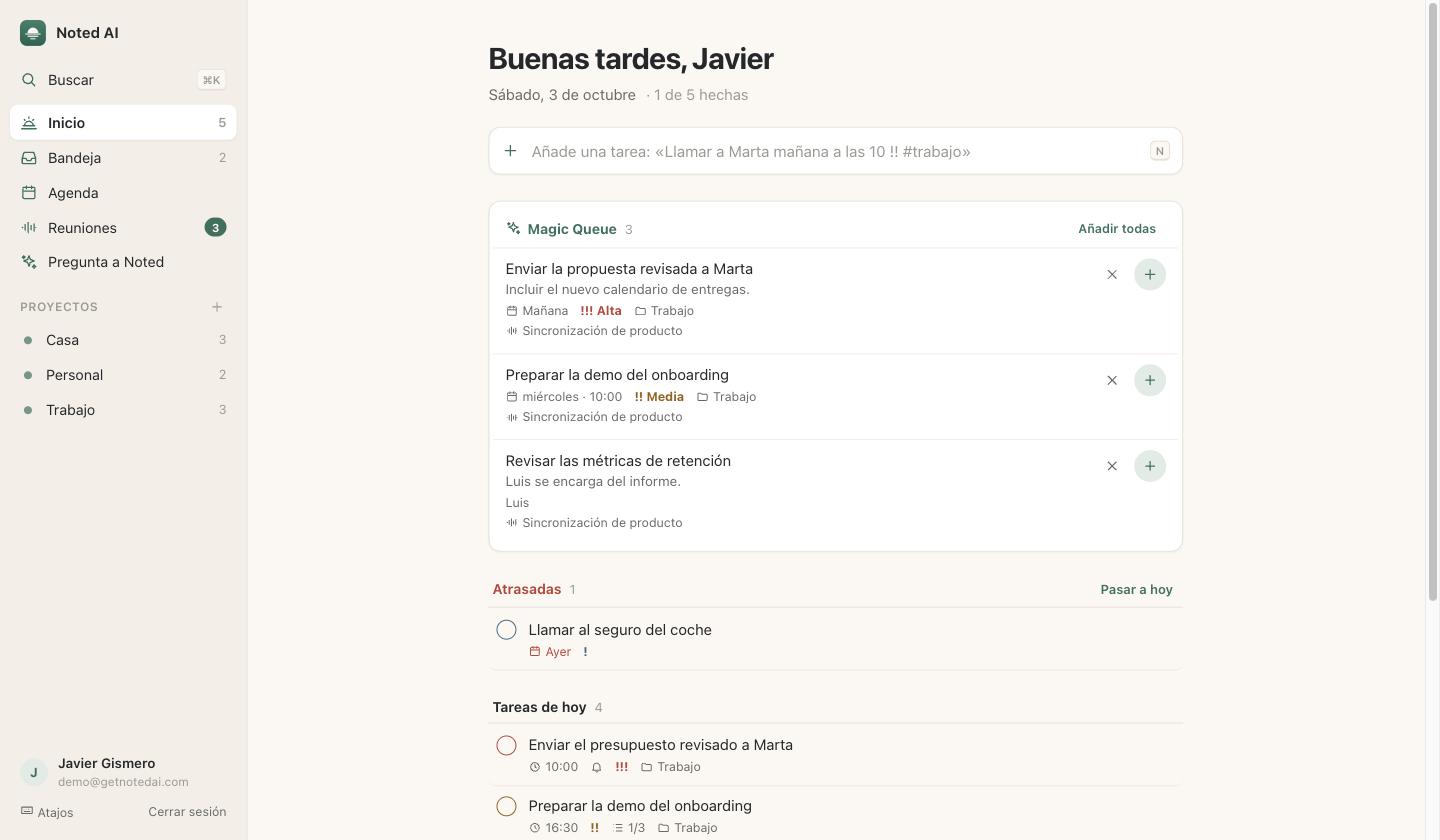
Sign in at app.getnotedai.com with your account: what you do there shows up on your iPhone instantly, and the other way round.
Free
€4.99/month
Not necessarily: on your computer, the Chrome extension records your Meet, Zoom or Teams calls. In-person meetings are recorded from the iPhone. Your tasks, projects, meetings and Ask Noted also work on your computer.
The desktop app is the web app, app.getnotedai.com, built for big screens and with keyboard shortcuts. To keep it as a regular app, with its icon in the Dock and its own window: in Safari, File → Add to Dock; in Chrome, the install icon in the address bar (or ⋮ → Cast, save and share → Install page as app).
Install it from the Chrome Web Store and connect it at app.getnotedai.com. When you join a Meet, Zoom or Teams call in Chrome, it records on its own and shows a visible notice with “Stop and save” and “Discard”. When the call ends, the audio is transcribed in the cloud (Deepgram, which doesn’t use it to improve its models), then deleted, and you get the note with its summary and tasks. It uses AI from your plan.
Your tasks and meetings are saved in your account to sync across devices. Audio is transcribed on your iPhone; with Noted Pro you can transcribe it in the cloud (Deepgram), which deletes it when done and can be turned off. To analyze a meeting or answer a question, the text is sent to Anthropic’s Claude, which doesn’t use it to train models. Details in the privacy policy (in Spanish).
The free plan includes some AI usage so you can try everything; it’s given once. Noted Pro includes much more. If you hit the limit on Noted Pro, AI rests for 2 days and comes back, and there is a monthly cap. Recording and transcribing on the iPhone don’t use AI: whatever you record without usage available is analyzed when it returns. You can see how much you’ve used in Account (iPhone) or in the sidebar (web).
From the iPhone app, with your Apple account. The subscription also works on the web.
In iPhone Settings → your name → Subscriptions. You keep Noted Pro until the end of the paid period.